

Automate your entire delivery operation — from order creation to proof of delivery — with Routific's REST API.
Looking for the stand-alone Routing Engine API?Note that these APIs integrate with the new Routific platform. If you're looking for a standalone solver that just returns the optimized routes in JSON format, you can check out the Routing Engine API or the latest beta engine for higher limits and better routes.
Getting Started
Routific’s Platform API helps you automate delivery route planning with ease.
To get started, sign up for a free trial and explore our API.
- Sign up for a Free Trial
- Navigate to Company Settings > Integrations > Create API Token
- Create a token and save it somewhere secure
- API tokens expire - when they do, requests return
401 TOKEN_EXPIRED— generate a new token again.
- API tokens expire - when they do, requests return
- Review the docs and make your first API request
In your request headers make sure to includeAuthorization: Bearer YOUR_API_KEY and Content-Type: application/json.
Try it today and streamline your delivery operations!
Overview of the Routific Platform APIs
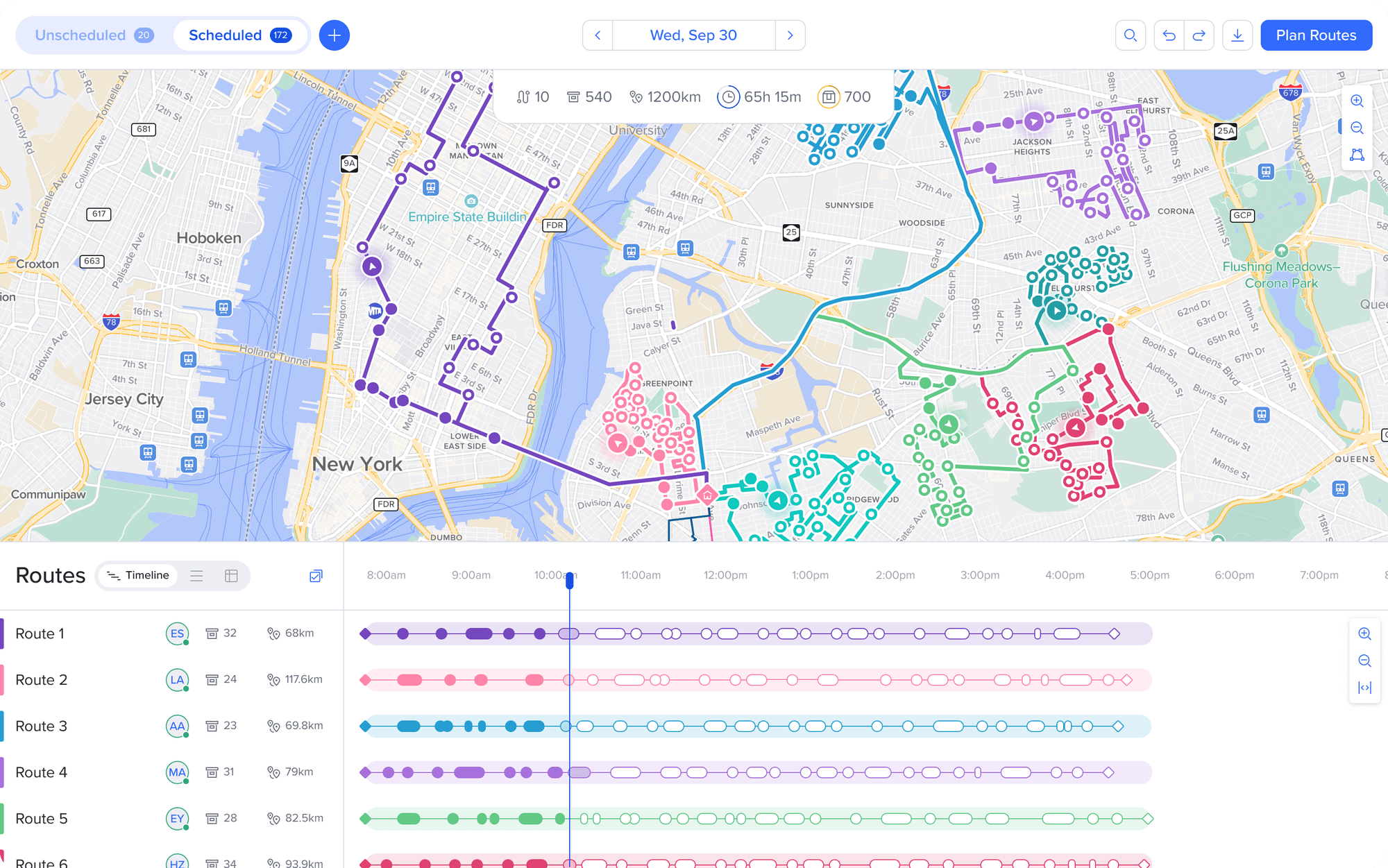
With these APIs you can run a complete delivery day from your own systems — dispatchers barely need to open the Routific app.
Bring the day's orders in
Push orders straight from your POS or order system as they come in — with addresses, time windows, load, and your own custom fields — so Routific always has the day's work ready to plan.
Set up the day's routes
Create routes from for each day programmatically — no manual setup.
Optimize orders onto routes
Trigger the optimization engine on demand. Schedule everything for a date, assign specific orders to specific routes, or run a self-contained what-if plan to compare fleet scenarios before you commit.
Handle cancellations, scheduled or not
When a cancellation arrives from your POS — even after the order is on a route — remove it in one call. The route's timeline recomputes automatically.
Assign a driver to each route
Match each optimized route to the right driver straight from your own staffing or scheduling system. Plans change? Call it again to swap the driver, so every route has the right person on it before you publish.
Send routes to drivers
Publish the finished plan to the driver app for the day, the moment your systems are ready — no one has to press a button in Routific.
Close the loop from your own driver flow
Mark orders delivered or missed straight from your app or POS. Customer notifications, ETAs, and webhooks all fire exactly as they would from a driver in Routific.
Finding your workspace UUIDCall
GET /workspacesto list your organization's workspaces with both theiruuid(used by the v2 endpoints) and their numericworkspaceId(used by the v1 endpoints). Store both — if you need to use a mix of v1 and v2 endpoints.
1. Create Orders
Skip the CSV upload step by automatically creating orders in Routific.
You can create them in batch or one at a time (as your orders flow in real-time) by calling the POST /orders endpoint. You can also delete orders — individually or in bulk — via DELETE /orders. This works for both unscheduled orders and orders already scheduled onto a route.
2. Create Routes on Routific
Create routes programmatically using POST /v1/routes. You can create routes from scratch with a name, date, shift times, start location, and other scheduling constraints.
3. Schedule Orders
Once orders and routes exist for a date, trigger Routific's optimization engine via POST /schedules. This is the programmatic equivalent of the dispatcher's Schedule All button — the engine assigns orders to routes, respects time windows, capacity, and tags, and returns the plan.
Scheduling is asynchronous. The POST returns an actionUuid immediately; poll GET /schedules/{actionUuid} until the status is finished, then fetch the full plan from GET /schedules/{actionUuid}/solution.
Two scheduling modes are available:
- Schedule all — pass only a date to optimize every unscheduled order across all unlocked routes in the workspace.
- Schedule specific — pass orders and routes arrays to restrict the run to a subset.
4. Complete orders from your own driver app
Mark orders delivered or missed from your application using POST /orders/{orderUuid}/complete. Routific derives the stop lifecycle automatically — the route timeline updates, customer notifications fire, and the order.status_updated webhook fires, exactly as they would if a driver completed the order in the Routific app.
The order must be on a published route. Completion is not reversible.
5. Pull route information
Once you're happy with your routes, you can pull the route information via the GET /routes and GET /routes/{{routeUuid}}/timelineendpoints. Common use-cases:
- Retrieve route sequences for each route to print labels
- Send route manifests to your warehouse operations to start the packing process
- Retrieve optimized routes and dispatch via your own mobile app
The GET /routes/{{routeUuid}}/timeline endpoint will also return completion statuses on the orders including the planned vs actual ETA timings on each route.
6. Subscribe to webhook events
Rather than polling for changes, subscribe to Routific's webhook events so your systems react in real time:
route.published— fires when a route is published or republished. Payload includes the full route and planned timeline, including per-stop ETAs and tracking links.route.eta_updated— fires when a driver's actions recompute ETAs. Payload includes the live timeline with actual times for completed stops and updated estimates for remaining ones.order.status_updated— fires when a driver or the API marks an order delivered or missed. Payload includes the new status, completion time, missed reason, and delivery notes.
Let us help you!
Got questions? Email us at [email protected] – we're happy to help!
Need something that's not covered by our API? Please book a call here